Whether you're already in China or still planning the trip, one rule outlasts every guidebook: you need a good map. In a country where street names can be long and signage is mostly in Chinese, AMap Global, the country's first English-language map, is the quiet backbone of getting around.
Master AMap, and you'll never get lost in China again.
on my second day in Shanghai, i needed to reach a tea house tucked in a side alley, honestly, i typed the name in English, AMap dropped a pin on the exact lane, and the walking arrow led me there in nine minutes. that small win is why i open this app before i open anything else.

AMap Global is available for both iOS and Android, and the interface is entirely in English. You don't need a Chinese phone number to use it, just download and go.
AMap
AMap (高德地图, Gaode Ditu) is one of China's leading mapping services, operated by AutoNavi, a subsidiary of Alibaba. In 2024 it launched AMap Global, the country's first English-language map designed specifically for overseas users.
1. Set up AMap
Your first task is getting the right app and granting it access to your location. Make sure you download AMap Global (the English version), not the Chinese-only AMap.
- Download, Search "AMap" or "Gaode Maps" in the App Store or Google Play. Look for the app with the blue compass icon.
- Grant permissions, Allow location access so the app can pinpoint you on the map. This is essential for route planning and navigation.
- Set your language, The Global version defaults to English. If you accidentally downloaded the Chinese version, look for "我的 → 设置 → 语言" (Me → Settings → Language) and switch to English.
-
Search for a destination, Type a place name, address, or landmark in English. AMap recognizes English queries and matches them to Chinese place names. If you've only been given the Chinese name, translate a Chinese address first, then paste the characters into the search box.
2. Plan a route
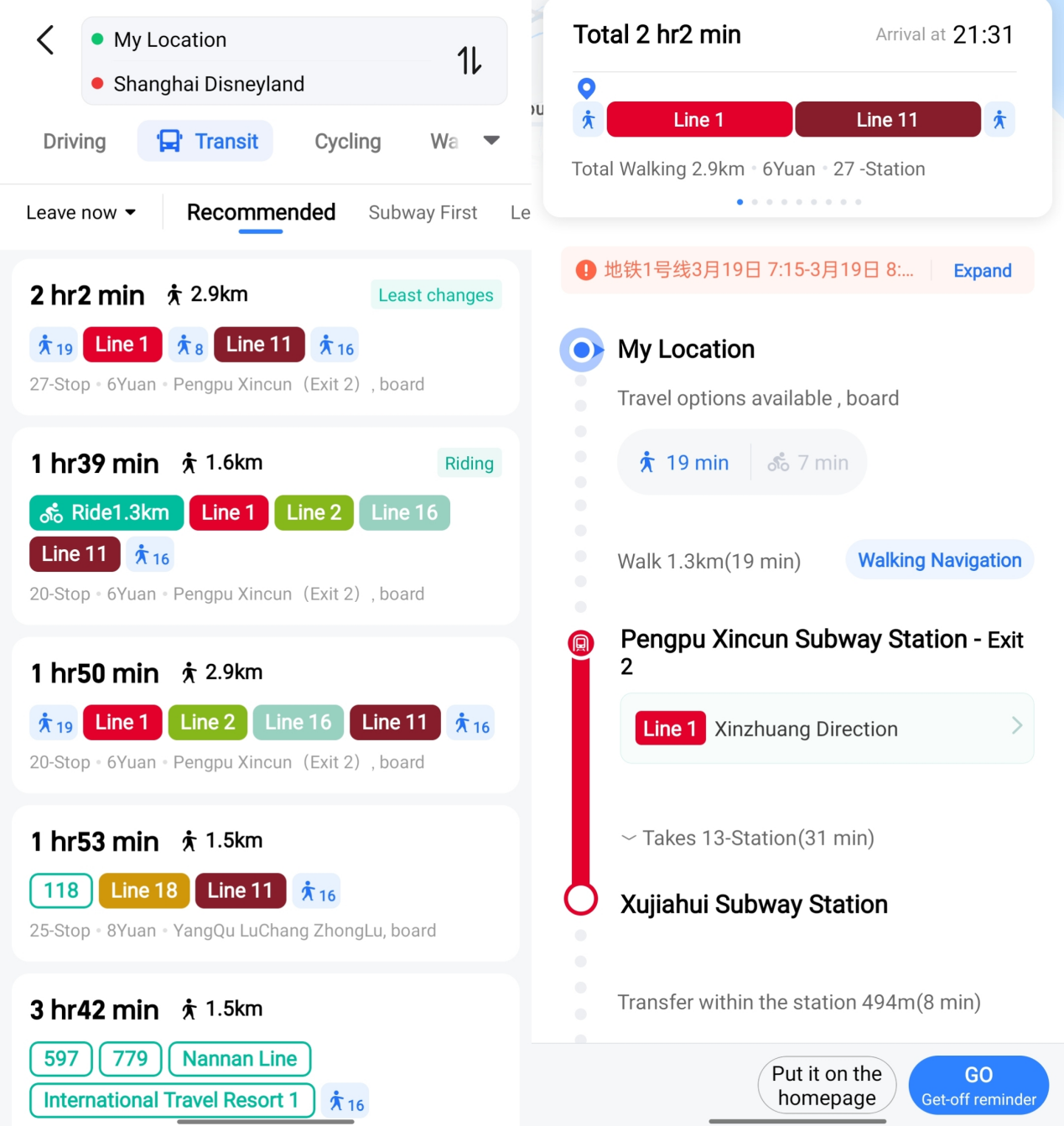
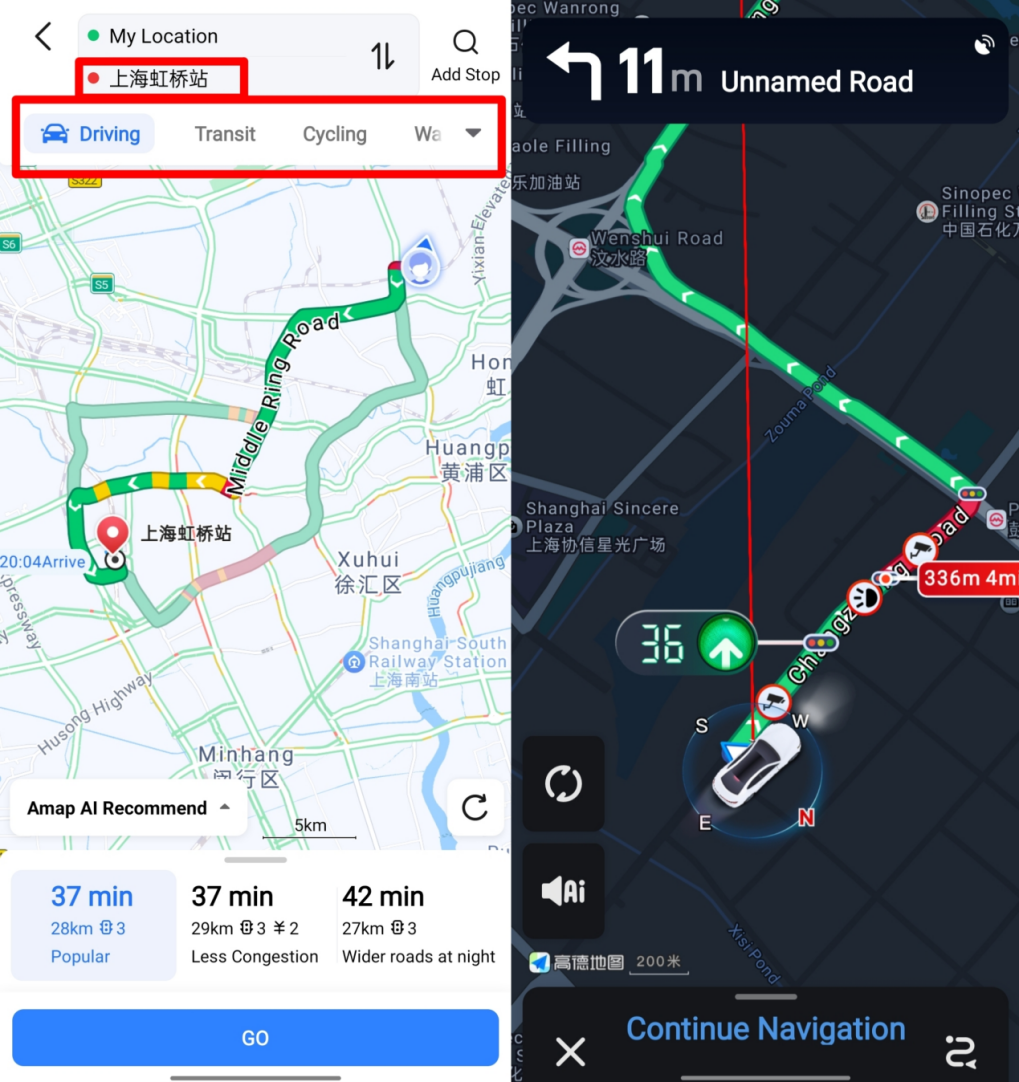
Once you've found your destination, tap the "Route" button. AMap displays every way to get there, side by side:
Public transit. Shows metro lines, bus routes, and transfers. Each option includes total time, number of stops, and walking distance between transfers.
Driving. If you have a car or use a ride-hailing service, this shows the fastest road route with toll estimates.
Walking. Turn-by-turn pedestrian navigation, with estimated walking time and distance.
Cycling. Bike-friendly routes that avoid highways and busy intersections. Also shows nearby shared-bike pickup points (Meituan Bikes, HelloBikes, etc.).
Pick the option that suits you, tap "Start," and follow the on-screen directions. The app speaks turn-by-turn instructions in English.
it is not always as precise as the demo. the blue dot can drift inside a shopping mall, and once walking mode sent me to the staff entrance instead of the visitor gate, i was annoyed, backtracked to the main road, and the second pin landed true. since then i trust the car navigation over walking for the last hundred meters, and look up at the building signs.
3. Read live traffic
Shanghai's transportation system is complex, and without a well-planned route, you could end up wasting a lot of time in traffic. AMap color-codes roads in live so you can see congestion at a glance: green means smooth traffic, red means heavy congestion. Before setting off, plan your route wisely to avoid traffic jams and make the most of your time.

4. Call a taxi
If you're stranded with no metro station or bus stop nearby, AMap's built-in taxi service comes to the rescue. Enter your location and destination, and the app helps you book a ride straight to your final stop, no phone call, no language barrier.
- Tap the "Taxi" or "Ride" icon on the home screen.
- Confirm your pickup point, The app uses your GPS location. Adjust the pin if needed.
- Enter your destination, Search or paste an address.
- Choose a service level, Options typically include standard taxi, high-end, and ride-hailing (similar to DiDi ride-hailing).
- Confirm and wait, A nearby driver accepts the ride, and you can track their approach on the map in live.
Payment is handled automatically through the app, link your WeChat Pay wallet or Alipay wallet to pay smoothly, or pay cash if the driver accepts it.
beyond maps, a few things make AMap feel local. the transit tab shows metro and bus together with real transfer walking times, and the taxi tab pulls from several ride services so prices sit side by side. a short city ride runs about ¥10 to ¥25, an airport run lands near ¥80 to ¥150, and the fare deducts automatically from WeChat Pay or Alipay when you arrive, no cash, no haggling.
Common questions about AMap for foreigners
Do I need a Chinese phone number for AMap?
No. AMap Global works with an overseas phone number for registration. Some features like taxi booking may require a local number, but basic map and route planning work without one.
Can I use Google Maps in China instead of AMap?
You can, but it's a poor substitute. Google Maps has limited data inside China and doesn't show live traffic or transit details. AMap is far more accurate and up-to-date for navigating Chinese cities.
Does AMap work outside China?
It has basic global maps, but its strength is China-specific data, detailed transit, live traffic, and local business info. Use Google Maps or Apple Maps abroad.
Is the AMap English version as complete as the Chinese one?
Almost. A few advanced features (like detailed bus arrival predictions) may be Chinese-only, but all core navigation features are fully translated.
How do I switch AMap to English?
Download AMap Global, the English version, rather than the Chinese-only AMap. If you already installed the Chinese one, go to "我的 → 设置 → 语言" (Me → Settings → Language) and switch to English.
Can I type my destination in English on AMap?
Yes. Type a place name, address, or landmark in English, AMap recognizes English queries and matches them to Chinese place names. The turn-by-turn instructions are spoken in English too.
Can I book a taxi through AMap?
Yes. Tap the "Taxi" or "Ride" icon on the home screen, confirm your pickup point and destination, then pick a service level. Payment is handled in the app, link WeChat Pay or Alipay, or pay cash if the driver accepts it.